
Top 3 Golf Apps Compared: 32 Features to Help You Practise Better
Which golf app will actually help you practise? We compare three different approaches: our Golf Practice Made Fun browser app, GolfFix and GolfForever. The right choice depends on whether you want a ready-to-use drill library, AI swing analysis or specialist golf fitness coaching.
I’m George Watts, the creator of the first App in this comparison. This is a feature guide to help you choose your focus.
1. Golf Practice Made Fun
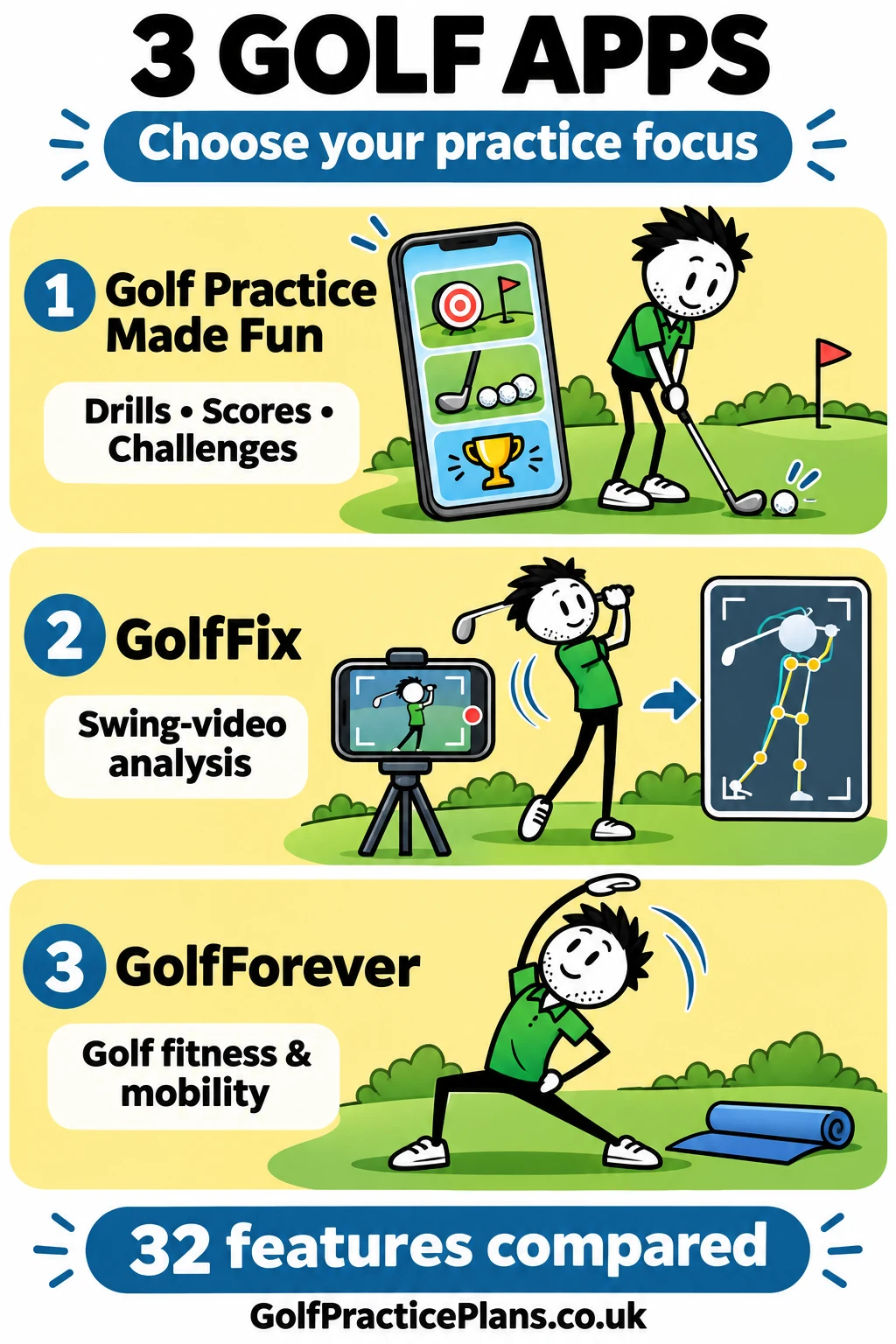
Best for: all-round, enjoyable, structured golf practice. Explore 600+ core drill cards or 700+ with Lifetime across seven categories. Record drill scores and personal bests, tick off repetition practice, build a 30-day challenge and practise with friends. All paid plans include four bonuses.Explore our golf app →2. GolfFix
Best for: golfers who want AI feedback from swing videos. GolfFix advertises rapid video analysis, Focus Drills, self-recording and replay.Visit GolfFix →3. GolfForever
Best for: golf-specific fitness, mobility and coached workouts. Its programmes offer personalised video-based exercise, including warm-ups and strength work.Visit GolfForever →Compare features
Tap any feature name to jump to its detailed explanation further down the page. The pale-yellow column highlights our app, as on our membership comparison table. On smaller screens, swipe the table sideways to see all three apps.| Feature — tap to explore | Golf Practice Made Fun Our browser app | GolfFix AI swing coach | GolfForever Golf fitness |
|---|---|---|---|
| Golf practice drill library ↓ | 600+ core; 700+ with Lifetime | Focused swing drills | Fitness video library |
| Dedicated putting drills ↓ | Dedicated category | Not listed* | Not listed* |
| Dedicated chipping drills ↓ | Dedicated category | Not listed* | Not listed* |
| Dedicated bunker drills ↓ | Dedicated category | Not listed* | Not listed* |
| Dedicated wedge-play drills ↓ | Dedicated category | Not listed* | Not listed* |
| Dedicated long-game drills ↓ | Dedicated category | Swing-focused drills | Not listed* |
| Golf mobility and fitness ↓ | Fitness drill cards | Not listed* | Personalised workouts |
| Mental-game practice ↓ | Dedicated category | Not listed* | Not listed* |
| Illustrated drill cards ↓ | Image, benefit and clear steps | Issue images and descriptions | Guided workout videos |
| Video guidance ↓ | Drill demonstrations | Swing replay and drill videos | Follow-along workouts |
| Time, difficulty and tag filters ↓ | Included | Issue-led selection | Searchable workout library |
| Surprise Me Algorithm ↓ | Included | Not listed* | Not listed* |
| My Cards favourites ↓ | Save chosen drills | Saved swing videos | On-demand workouts |
| Edit steps on saved cards ↓ | Included | Not listed* | Not listed* |
| 18-tick repetition tracker ↓ | Repetition drills | Adjustable drill repetitions | Workout completion |
| Practice notes and history ↓ | Included | Reports and swing history | Training progression |
| Colour-coded My Progress ↓ | Included | Swing data and reports | Fitness progress |
| Flexible 30-day challenges ↓ | Choose up to seven drills | Customised missions | Personalised programmes |
| Private Golf Circles ↓ | Included | Community features | Not listed* |
| Course rounds and scorecard photos ↓ | Save chosen rounds | Not listed* | Not listed* |
| Access across devices ↓ | Browser; no installation | Downloadable app | Downloadable app |
| AI swing-video analysis ↓ | Not offered | AI swing feedback | Not its main focus |
| Swing recording and replay ↓ | Not offered | Self Record and replay | Not listed* |
| Assessment-led fitness plan ↓ | Individual fitness cards | Swing-focused guidance | Assessment-led programme |
| Free way to try ↓ | 14 days; no card required | Download; check current access | 30-day trial advertised |
| Direct drill-score entry ↓ | Scored drills | Not listed* | Fitness tracking differs |
| Scores and personal bests ↓ | Latest, previous, best and history | Swing reports | Fitness progress |
| Bonus 1: Infographics ↓ | 125 core; 150 with Lifetime | Not listed* | Not listed* |
| Bonus 2: Illustrated articles ↓ | 125 core; 150 with Lifetime | Not listed* | Not listed* |
| Bonus 3: Golf Zen Chair Yoga ↓ | All paid plans | Not listed* | Not listed* |
| Bonus 4: Golf Hypnosis Kit ↓ | All paid plans | Not listed* | Not listed* |
| Membership options ↓ | £9/month; £49/year; £129 Lifetime | Check provider | Check provider |
How to read the table: *Not listed means we did not find a matching feature in the official pages cited below. It does not establish that a provider lacks the feature. Different kinds of scores, programmes and saved content are described rather than treated as identical.
Every feature explained
Explore 32 features — select a row in the table to jump to its numbered card.
Golf practice drill library
Choose from seven categories: Putting, Chipping, Bunker, Wedge play, Long game, Golf fitness and Mind game. Monthly and Yearly provide the core deck; Lifetime adds 140 extra drills.
Back to comparison ↑Dedicated putting drills
Work on start line, pace, breaking putts and confidence with putting-specific cards.
Back to comparison ↑Dedicated chipping drills
Choose contact, landing-spot, trajectory and rollout tasks in the Chipping category.
Back to comparison ↑Dedicated bunker drills
Find sand-shot setup, entry-point and distance-control practice in the Bunker category.
Back to comparison ↑Dedicated wedge-play drills
Explore wedge carry distances, flight and partial-shot control with focused practice cards.
Back to comparison ↑Dedicated long-game drills
Practise setup, contact, direction, backswing, sequencing and rhythm in the Long game deck.
Back to comparison ↑Golf mobility and fitness
Choose individual movement cards in our App. GolfForever specialises in assessment-led golf fitness, mobility and strength programmes.
Back to comparison ↑Mental-game practice
Practise shot decisions, attention, visualisation, routines and confidence with Mind game cards.
Back to comparison ↑Illustrated drill cards
See a drill’s benefit, illustration, equipment, time, difficulty and instructions before you begin. The other apps organise guidance around swing feedback or workouts.
Back to comparison ↑Video guidance
Open Video beneath a card’s instructions for a demonstration. Our illustrated steps remain available when you return to the card.
Back to comparison ↑Surprise Me Algorithm
Let the App choose a fresh card when you want a useful practice idea without browsing the whole deck.
Back to comparison ↑My Cards favourites
Keep chosen drill cards in My Cards and return to them on your phone, tablet or computer.
Back to comparison ↑Edit steps on saved cards
Adjust a saved card’s instructions for your own practice or restore the original steps.
Back to comparison ↑18-tick repetition tracker
On repetition drills, tick one box per completed attempt, or use Tick all 18 after finishing. Scored drills use a score entry instead of repetition boxes.
Back to comparison ↑Practice notes and history
Add notes and practice time, then revisit your saved sessions. A short observation can help you choose what to repeat.
Back to comparison ↑Colour-coded My Progress
Review the mix of categories you have practised, saved sessions and your scored results in My Progress.
Back to comparison ↑Flexible 30-day challenges
Use My Challenges to choose a category, mix categories or Pick my drills. Practise whenever you have time; a tick and Completed mark the drills you have practised.
Back to comparison ↑Private Golf Circles
Create a Golf Circle or join with an invitation code. Share chosen rounds and offer a 30-day challenge; each member chooses whether to take part.
Back to comparison ↑Course rounds and scorecard photos
Keep golf-course rounds and private scorecard photos in your Profile, separate from individual drill scores. Share chosen rounds with your circle when you wish.
Back to comparison ↑Access across devices
Open our App in a browser on your phone, tablet or computer. Sign in to reach your saved cards, challenges and practice records.
Back to comparison ↑AI swing-video analysis
GolfFix analyses a smartphone swing video and returns issue-led feedback. Our App does not analyse uploaded swing videos.
Back to comparison ↑Swing recording and replay
GolfFix’s Self Record mode provides recording, instant replay and saved swing videos.
Back to comparison ↑Assessment-led fitness plan
GolfForever creates a programme from an assessment and adjusts training to the golfer. Our individual fitness cards do not provide an equivalent physical assessment.
Back to comparison ↑Free way to try
Our trial includes up to three My Cards drills, one challenge with up to seven drills, one Golf Circle and one saved round. Check each provider’s current trial terms.
Back to comparison ↑Direct drill-score entry
On a scoring drill, choose Score your practice and enter the result directly. There are no repetition boxes on that card. The category-coloured scorecard icon identifies scoring drills.
Back to comparison ↑Scores and personal bests
Saving a drill score opens My Progress at Your scored results. Compare your latest score, previous attempt, personal best and score history. Keep the setup consistent when comparing results.
Back to comparison ↑Bonus 1: Infographics
Selected drills include infographic guides as quick visual reminders. Monthly and Yearly include 125; Lifetime includes all 150. Find Infographic beneath the matching card’s instructions.
Back to comparison ↑Bonus 2: Illustrated articles
Read illustrated explanations, practice tips and FAQs for selected drills. Monthly and Yearly include 125 articles; Lifetime includes all 150. Find Article beneath the matching card’s instructions.
Back to comparison ↑Bonus 3: Golf Zen Chair Yoga
The digital Golf Zen Chair Yoga Card Deck includes 52 illustrated chair yoga exercises and five ready-made sequences. View the PDF on your device or print your own cards. It is included with Monthly, Yearly and Lifetime, including existing paid members.
Back to comparison ↑Bonus 4: Golf Hypnosis Kit
The digital kit contains an MP3 recording, a printable PDF script and an editable Word script. It is included with Monthly, Yearly and Lifetime, including existing paid members.
Back to comparison ↑Membership options
Our Monthly and Yearly plans include the core deck and all four bonuses. Lifetime is one payment and adds 140 drills plus the full infographic and article collections. Prices shown are those listed on our membership page on 11 November 2026.
Back to comparison ↑Which golf app should you choose?
Golf Practice Made Fun
Choose this if you want simple, purposeful practice. Work on putting, chipping, bunker shots, wedges, long game, fitness and the mental game.Follow illustrated drills with videos, save your favourites, record scores and personal bests, and enjoy flexible 30-day challenges. All paid plans include infographic guides, illustrated articles, the Golf Zen Chair Yoga Card Deck and the Golf Hypnosis Kit.
GolfFix
Choose this if swing analysis is your priority. Its AI-powered feedback helps identify swing faults from video.Recording, replay and saved swing videos are useful strengths that our app does not claim to offer.
GolfForever
Choose this if fitness and mobility are your focus. It specialises in personalised training programmes.Coached workout videos and specialist equipment can support your golf-specific strength and movement.
Sources and comparison notes
Updated 11 November 2026 using our App features and membership page, the GolfFix features page, its Focus Drill guide, how GolfForever works and its App and trial page. Features, prices and access can change; check the provider before joining.
FAQs
What should I compare when choosing a golf practice app?
Compare the type of help you want: an illustrated drill library, swing analysis or specialist golf fitness coaching. Use the feature table and the explanations below it to explore those differences.
How do I read the feature comparison?
Select a linked feature in the table to jump to its explanation. Check the app’s own current features and membership details before choosing a plan.
Where can I explore the Golf Practice Made Fun App?
Visit the App features page to see the illustrated practice cards and membership options.
What changed in the App’s scoring system?
Repetition drills keep their 18 ticks. Scoring drills use direct score entry, with latest result, previous attempt, personal best and score history in My Progress.
Which membership plans include the four bonuses?
Monthly, Yearly and Lifetime include all four bonuses. Monthly and Yearly include the core infographic and article collections; Lifetime includes the full collections. The Golf Zen Chair Yoga Card Deck and Golf Hypnosis Kit are included with every paid plan, including existing paid members.
What drill do you recommend I do next?
Try Connected Backswing Drill next to practise a connected chest-and-arm turn.
You could also use Putting Gate Drill to give your putts a clear start-line task. For another focused practice task, try Chip to a Landing Spot to give your chips a clear landing target.
Give your next practice a purpose.
Find illustrated drills, save your favourites and record your practice in the Golf Practice Made Fun App.
Try the App Free ↗14 days free · No card required