
Golf Drills Made Fun · For senior golfers
Golf practice for seniors.Quick to start.Fun to play.
Got a few spare minutes? Pick a golf drill card, follow the simple steps and enjoy a quick game. Play on your own or with friends, at your own pace.
14 days free · No card required
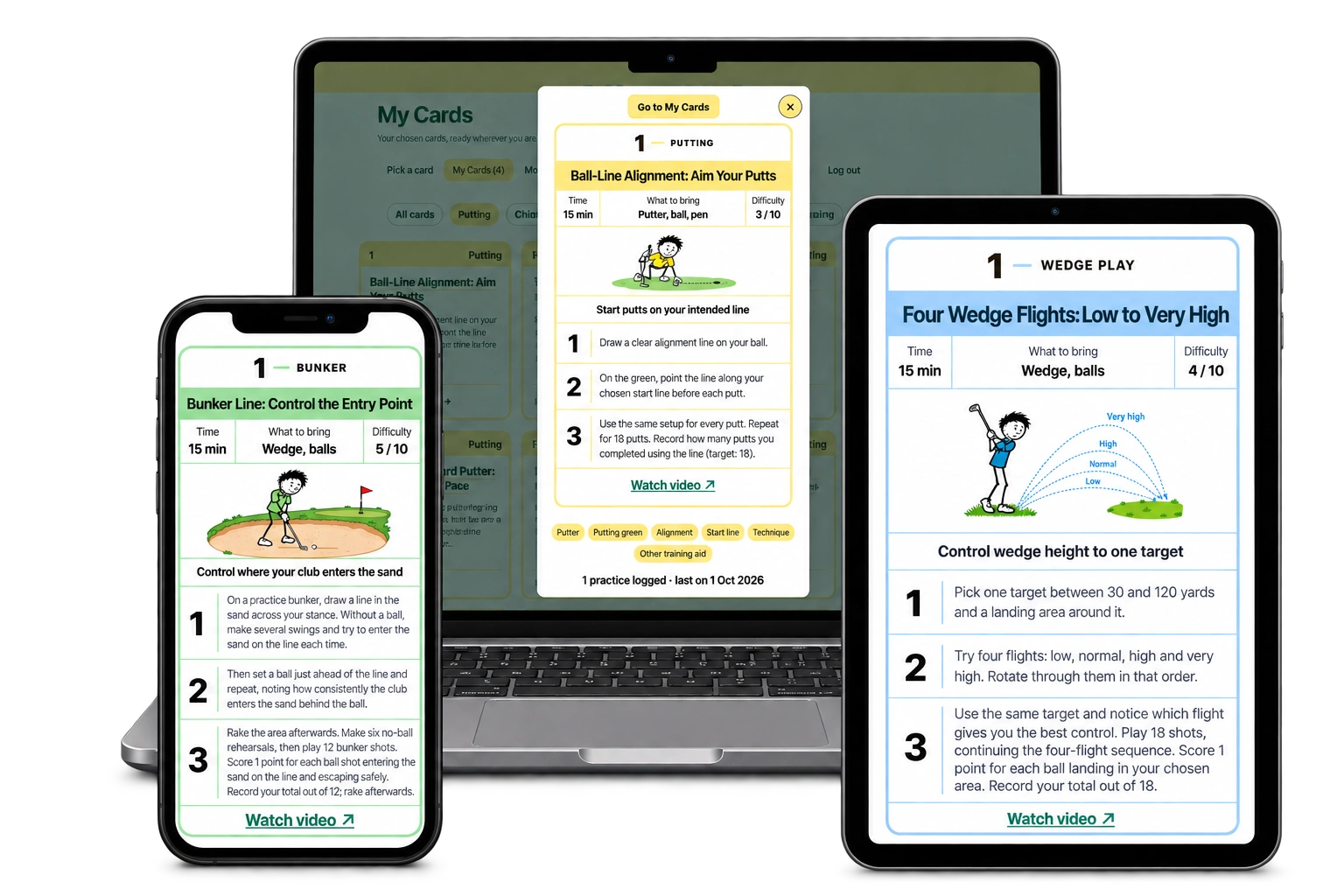
Use the app on your phone, tablet or computer. Nothing to install.
Easy as 1–2–3.
Choose a drill.
Pick a card that takes your fancy.
Follow the card.
A picture and a few simple steps show you what to do.
Have a play.
Enjoy a quick game on your own or with friends.
A useful place to start
Six drills to explore first.
Fancy some putting or chipping? Open a free illustrated guide and pick something you’d enjoy.

Putting
Picture, Look, Roll
Build a calmer putting routine with a clear sequence before every stroke.

Putting
Putting Gate
Give each putt a clear task: start the ball through a gate made with two tees.

Chipping
Chip to a Landing Spot
Choose one club and a marked landing spot. Watch the first bounce and record your result.

Chipping
Putting-Style Chip
Explore a compact, putting-style motion for a straightforward chip from short grass.

Long game
Shorter Backswing
Compare your usual backswing with a shorter version and record the quality of contact.

Putting
Nine-Hole Putting Course
Make practice feel like a round: one ball, nine starting spots and every stroke counted.
These are starting suggestions from the wider drill library. Choose the ones that suit you; the app also includes bunker play, wedge play, long game, golf fitness and mind game.
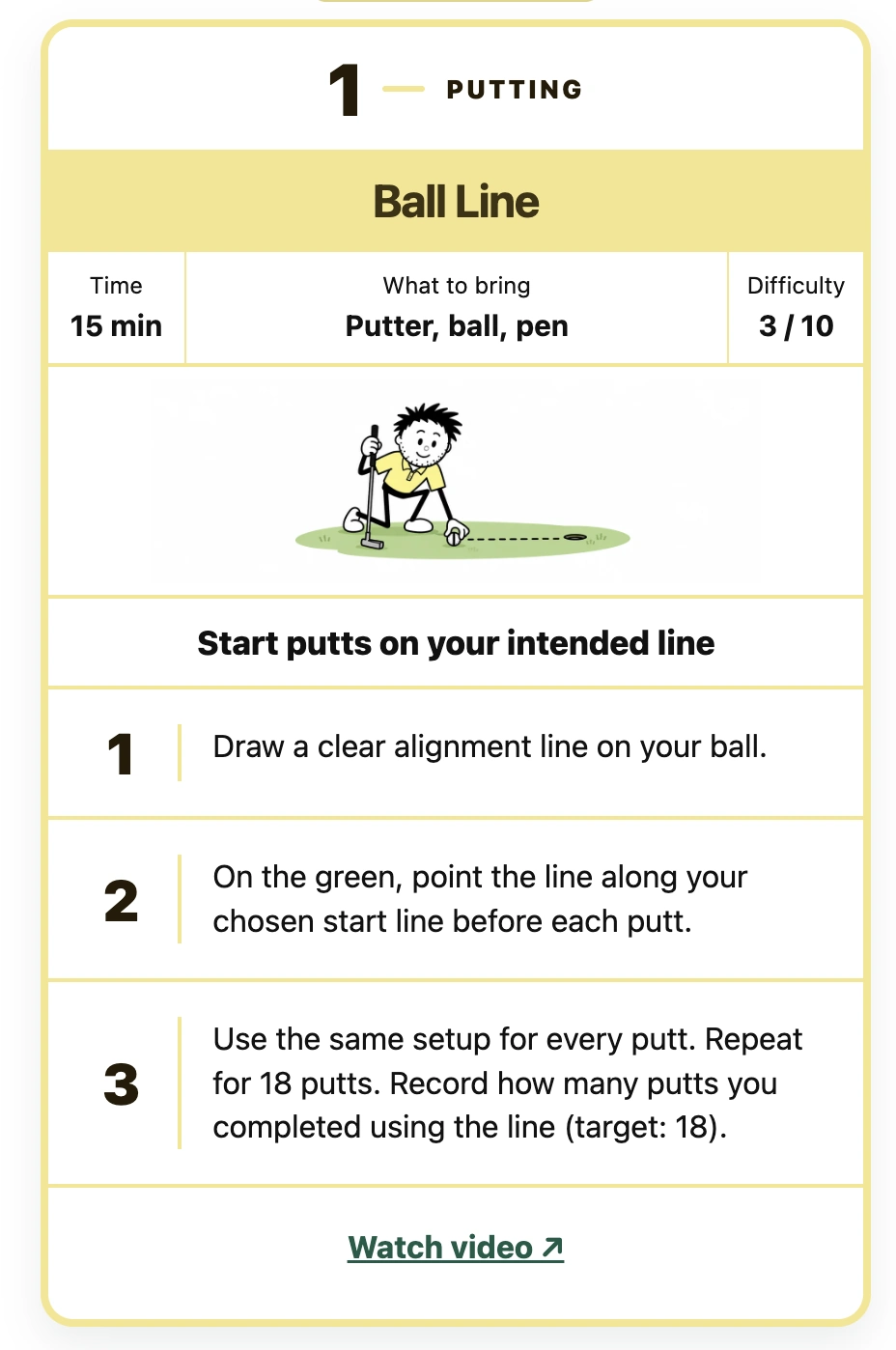
Open a card and off you go
A picture. A few steps. You’re away.
Keep the instructions beside you on your phone, or take a closer look on your tablet or computer before heading out.
- Pick something you fancy.
Browse a category or use the time, difficulty and equipment tags to find a suitable drill.
- Follow the card.
Check what to bring, read the illustrated steps and watch the demonstration where available.
- Save your score if you like.
On scoring drills, you can save your result. On repetition drills, you can tick off your goes. Add a note if you fancy.
Whenever you fancy a game
Three games to dip into.
Pick whichever takes your fancy. Play for a little while and come back whenever you like.
Game 1 · Putting
Settle into a routine.
Try Picture, Look, Roll. Follow the pictures and have a few putts.
Game 2 · Chipping
Give the ball a landing spot.
Try Chip to a Landing Spot. See how many chips you can land on the towel.
Game 3 · A putting round
Play a little round.
Try the Nine-Hole Putting Course. One ball, nine starting spots. Enjoy a little round on the putting green.
Play at your own pace, take a break when you fancy and come back to your favourites.
Better with a practice partner
A card, a friend
and a bit of fun.
Use a private Golf Circle to pick cards with friends. Play the same game together, or have a go in your own time.
For a simple first outing, try the same putting course, agree the starting spots and see who needs the fewest strokes. The post-practice cup of tea can be your prize committee.
Fancy keeping score?
Your scores, saved for you.
Save a score if you like. My Progress keeps your latest result and personal best ready for another day.
You can add a quick note too, or simply pick another card and carry on playing.

A few useful answers
Before your first drill.
Is this a separate app for senior golfers?
You use the same Golf Drills Made Fun app and membership. This page brings together starting suggestions for senior golfers, and you can explore the wider library whenever you like.
Are these drills only for beginners?
The cards suit a range of golfing experience. Pick something that looks enjoyable and choose the difficulty you prefer.
Can I choose drills to suit my movement and energy?
Check each card’s time, equipment, difficulty and steps before choosing it. Start with a task that feels comfortable and manageable for you, and take breaks as needed. The library includes putting and short-game options as well as full-swing drills.
Do I need to be good with technology?
Open the app in your web browser on a phone, tablet or computer. There is nothing to install. Start with one card, follow its steps and save your practice record when you finish.
Can I practise at home?
The library includes indoor drills. Use the location and equipment tags to find options for your available space. The six examples on this page mainly use a practice green or range.
Can I practise with friends?
Yes. Create or join a private Golf Circle, pick a card together and have a play. Each member has their own practice record.
What is included in the free trial?
The trial lasts 14 days and requires no payment card. Enjoy unlimited core drills and Golf Circles, challenges, scores and progress tracking during your trial. A paid membership is required after 14 days. See the current trial and membership options for the full details.
Your next practice starts here
Pick a card.
Let the fun begin.
Quick to start. Easy to follow. Fun to play.
14 days free · No card required